Intro_to_Windows_Command_Line
Introduction
-
CMD.exe and PowerShell, included in all Windows hosts, offer:
- Direct OS access.
- Automate tasks.
- Provide granular control over computers and applications.
-
This blog equips you with the skills to effectively administer Windows hosts via the command line.
-
From a penetration testing perspective, we will learn how to use built-in Windows tools, commands, and third-party scripts to help us with reconnaissance, exploitation, and data exfiltration from within a Windows environments.
Command Prompt Vs. PowerShell
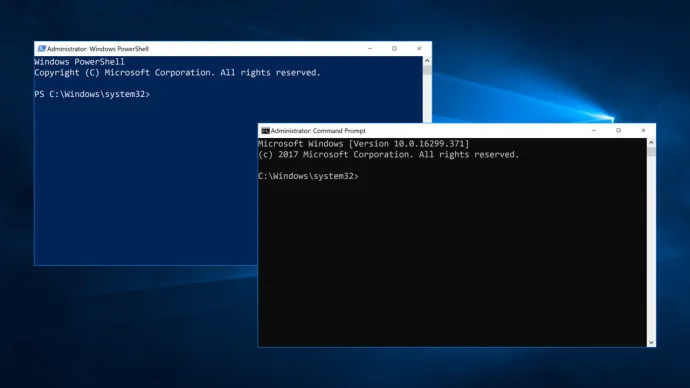
- Key differences exist between Windows Command Prompt and PowerShell.
- While Command Prompt commands can be executed within PowerShell, running PowerShell commands in Command Prompt requires prefixing them with
powershell(e.g.,powershell get-alias). - The table below highlights further differences.
| PowerShell | Command Prompt |
|---|---|
| Introduced in 2006 | Introduced in 1981 |
| Can run both batch commands and PowerShell cmdlets | Can only run batch commands |
| Supports the use of command aliases | Does not support command aliases |
| Cmdlet output can be passed to other cmdlets | Command output cannot be passed to other commands |
| All output is in the form of an object | Output of commands is text |
| Able to execute a sequence of cmdlets in a script | A command must finish before the next command can run |
| Has an Integrated Scripting Environment (ISE) | Does not have an ISE |
| Can access programming libraries because it is built on the .NET framework | Cannot access these libraries |
| Can be run on Linux systems | Can only be run on Windows systems |
- Command Prompt offers a static interface of interacting with the OS.
- Whereas PowerShell is a powerful scripting language suitable for both simple and complex tasks.
Scenario
- Consider this Scenario in order to see how these tools and commands can aid us.
As a system administrator aiming to transition into Pentesting, I need to develop a strong understanding of PowerShell and Command Prompt. Demonstrating proficiency in these Windows command-line interfaces will strengthen my case for apprenticing with the Internal Red Team.
CMD
- CMD.